
Who is this article for?
- Users with access to Ausmed Events™
The Dashboard
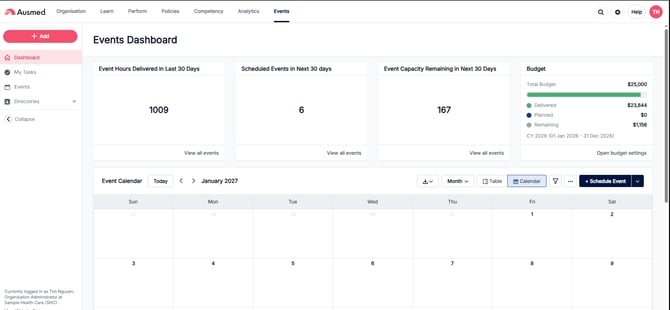
Summary cards
Four cards sit across the top of the dashboard:
| Card | What it shows |
|---|---|
| Event Hours Delivered in Last 30 Days | Total hours of Events delivered in the last 30 days |
| Scheduled Events in Next 30 days | Number of Events scheduled to run in the next 30 days |
| Event Capacity Remaining in Next 30 Days | Total remaining capacity across upcoming Events in the next 30 days |
| Budget | Your organisation's budget position for the current period |
Each of the first three cards has a View all events link to see the full list behind that number.
Budget card
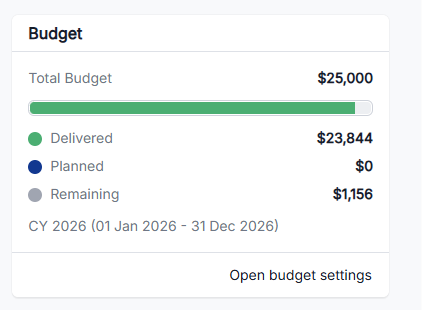
The Budget card shows:
- Total Budget for the period
- A progress bar showing Delivered (green) against Planned (blue) spend
- A warning message if you're over budget (e.g. "$5,844 over budget")
- Delivered and Planned totals
- The budget period (e.g. CY 2026, 01 Jan 2026 – 31 Dec 2026)
- An Open budget settings link
- To add your budget, simply click the settings button and add in your annual training budget
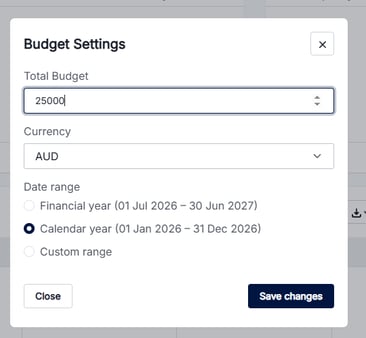
- To add your budget, simply click the settings button and add in your annual training budget
Event Calendar
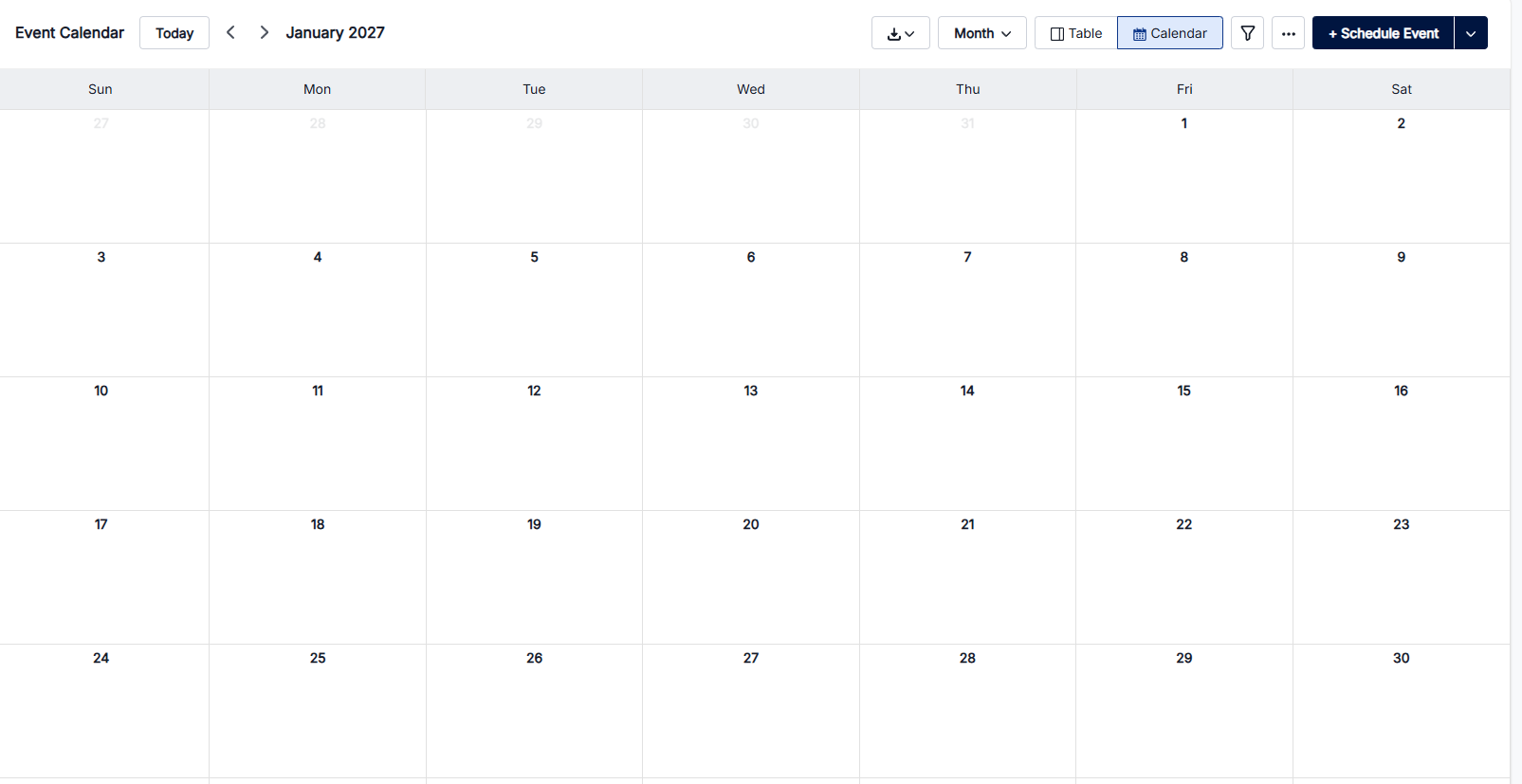
Below the summary cards, the Event Calendar shows scheduled Events by day. Each Event appears as a coloured bar with its title and time (or "All Day").
Calendar view controls
Along the top of the calendar:
- Today — jump to the current date
- < > arrows — move to the previous or next period
- Month dropdown — change the calendar view
- Table / Calendar toggle — switch between a table view and the calendar view
- Export button (↓) — export calendar data
- Filter icon — filter the Events shown
Scheduling from the dashboard
- Click Schedule Event to create a single Event.
- Click the dropdown arrow next to it and select Add bulk events by CSV to create several Events at once. See Add events using the bulk CSV upload.